
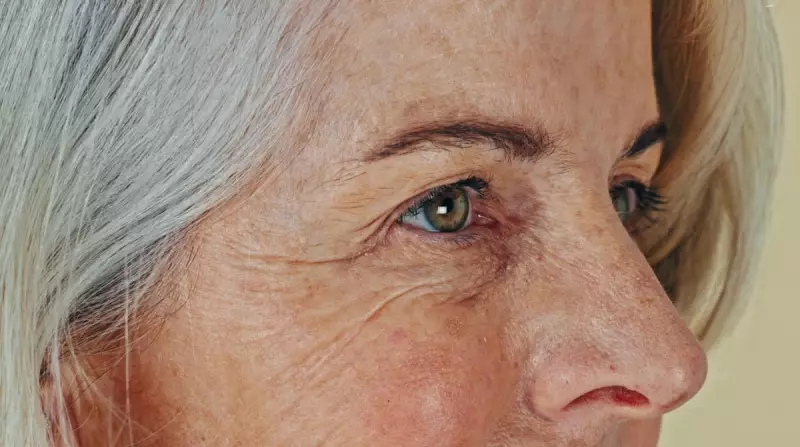
That moment when you realise your arms are suddenly too short to read your phone's screen is a rite of passage for many over 40. This age-related farsightedness, known as presbyopia, can turn everyday tasks into a frustrating squint. But the latest generation of smartphones, with their expansive screens and sophisticated accessibility settings, offers a powerful solution.
Putting Top Phones to the Test for Readability
We conducted a hands-on review focusing solely on the needs of users with ageing eyes, bypassing standard performance benchmarks. The test subjects were three flagship models: the Apple iPhone 17 Pro Max, the Samsung Galaxy Z Fold 7, and the Google Pixel 10 Pro Fold. Our evaluation centred on visual clarity, the ease of using assistive features, and overall usability, testing everything from reading emails in different lights to activating magnifiers and scaling third-party apps.
Apple iPhone 17 Pro Max: The Streamlined Choice for iOS Users
As the sole non-foldable in the lineup, the iPhone 17 Pro Max is noticeably lighter. Its 6.9-inch OLED display, while the smallest here, provides ample space for enlarged text. Adjusting system font size and enabling bold text is straightforward via the Accessibility settings.
The key advantage is how naturally enlarged text flows on screen, particularly in messaging apps, without awkward formatting breaks. The built-in Magnifier app is a standout feature; it can be set to launch with a triple-click of the side button, proving invaluable for reading menus in dim restaurants.
However, the phone's Display Zoom feature, which enlarges everything system-wide, was inconsistent, working reliably only on the home screen and in native Apple apps. It also proved prone to accidental activation. For committed Apple users willing to delve into settings, the iPhone 17 Pro Max makes reading easier without a drastic learning curve, and its text-to-speech function offers the most natural-sounding voices.
Samsung Galaxy Z Fold 7: The Expansive Android Canvas
Samsung's foldable opens like a book to reveal a massive, tablet-like 8-inch display, a boon for reading longer articles in a larger font. Even its closed front screen measures a generous 6.5 inches. Its wealth of vision enhancements are neatly organised in the settings.
Enlarging fonts to 70% of the maximum system-wide made reading and typing a joy on the big screen, with headlines in news apps taking up fewer lines. The Galaxy's Magnifier app was a favourite, accessible via a persistent on-screen button and featuring adjustable contrast and a built-in flashlight for low-light situations.
The main drawback was inconsistent scaling in some apps, like Gmail, where opened emails displayed in a jarringly giant font. While the Galaxy Z Fold 7 is the lighter and thinner of the two foldables, its customised Android interface can feel more complex than Google's pure version.
Google Pixel 10 Pro Fold: The Integrated Android Experience
Google's foldable also boasts an 8-inch OLED display but feels more streamlined, thanks to the company's control over both hardware and software. It is the heaviest phone tested, which can be a factor during prolonged use, but it is also the first foldable with an IP68 rating for dust and water resistance.
Accessibility settings provide a helpful preview before you apply changes. Font enlargement worked seamlessly across apps, with Google doing a better job than Samsung at maintaining proportional text sizing in Gmail. The Magnifier is easily activated via a side button.
A standout feature is Google's TalkBack voiceover, which uses natural-sounding voices to read aloud selected screen content. While potentially overkill for mild presbyopia, it exemplifies the deep integration of accessibility. The Pixel 10 Pro Fold offers a cohesive and user-friendly package for those seeking a large-screen Android device.
Expert Insight: Understanding Presbyopia and Your Options
Dr. Diane Hilal-Campo, an ophthalmologist, explains that presbyopia is a normal ageing process where the eye's lens loses flexibility, typically becoming noticeable in the early to mid-40s. "People start needing to wear reading glasses when they are perfectly corrected for distance at around age 40," she notes.
Dr. Ashley Brissette adds that while a bigger phone helps, "accessibility settings can be a game changer." She recommends increasing text size and boldness, using magnification features, and employing voice assistants to read text aloud. High-contrast modes and dark theme can also significantly reduce eye strain.
Verdict: Which Smartphone is Right for You?
The best choice ultimately hinges on your preferred operating system. The accessibility features between iOS and Android are broadly comparable, making a platform switch unnecessary.
For dedicated iOS users, the iPhone 17 Pro Max is the clear recommendation. Its large screen handles enlarged text elegantly, and the Magnifier shortcut is brilliantly practical.
Android users seeking the best reading experience should consider a foldable for its expansive canvas. The Google Pixel 10 Pro Fold edges ahead for its streamlined, intuitive software integration, though the Samsung Galaxy Z Fold 7 wins on portability, being lighter and thinner. Both transform reading on a phone from a chore back into a pleasure, proving that the right technology can effectively compensate for the eyes' natural ageing process.