
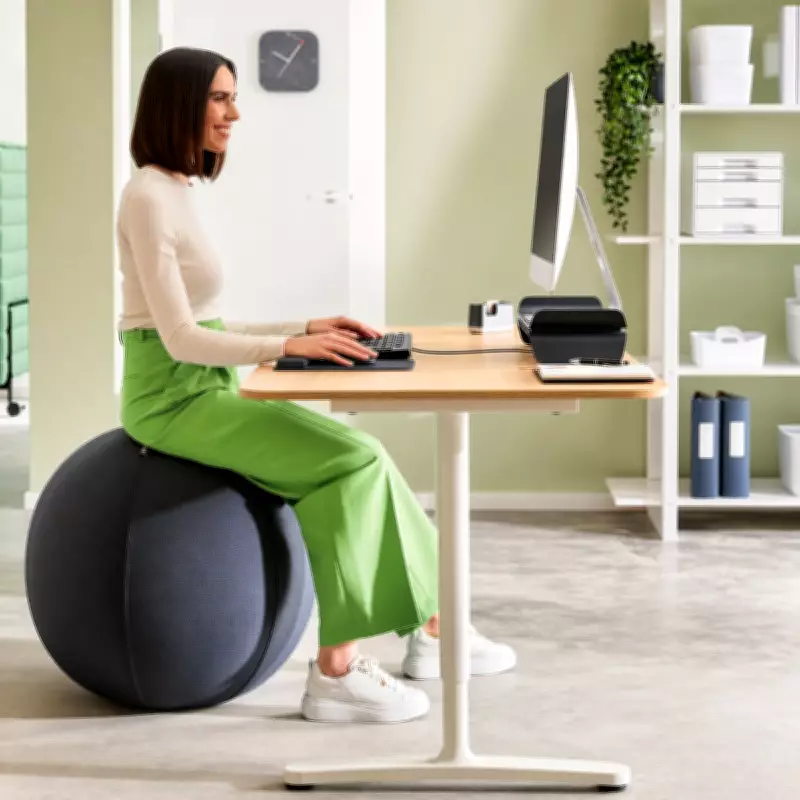
Creating an ergonomic workspace is essential for maintaining good posture and preventing discomfort during long work hours. With many people working from home or in offices, proper setup can significantly impact health and productivity.
Key Elements of an Ergonomic Workspace
An ergonomic setup involves adjusting your chair, desk, monitor, and accessories to fit your body. The goal is to maintain a neutral posture where joints are aligned and muscles are relaxed.
Chair Adjustments
Your chair should support the natural curve of your spine. Adjust the height so your feet rest flat on the floor, with knees at a 90-degree angle. Use a lumbar roll if needed. Armrests should allow your shoulders to relax.
Desk and Monitor Position
The desk should be at elbow height when sitting. Place the monitor an arm's length away, with the top of the screen at or slightly below eye level. This prevents neck strain.
Keyboard and Mouse
Keep keyboard and mouse close to avoid reaching. Wrists should be straight while typing. Consider an ergonomic keyboard or mouse pad with wrist support.
Additional Tips for Better Posture
- Take breaks every 30 minutes to stand, stretch, or walk.
- Use a footrest if your feet don't rest flat.
- Position frequently used items within easy reach.
- Adjust lighting to reduce glare on screen.
Standing Desks
Alternating between sitting and standing can reduce back pain. Ensure the standing desk is at elbow height when standing, and use an anti-fatigue mat.
By implementing these ergonomic principles, you can create a workspace that promotes comfort and efficiency, reducing the risk of chronic pain and boosting overall well-being.